
Filter Manager
Every filter and every parameter of a dashboard in one panel, with one Apply. Controls chosen by field type, dates with presets, include or exclude, locked items, a count of what is active, and named presets that set filters and parameters together.
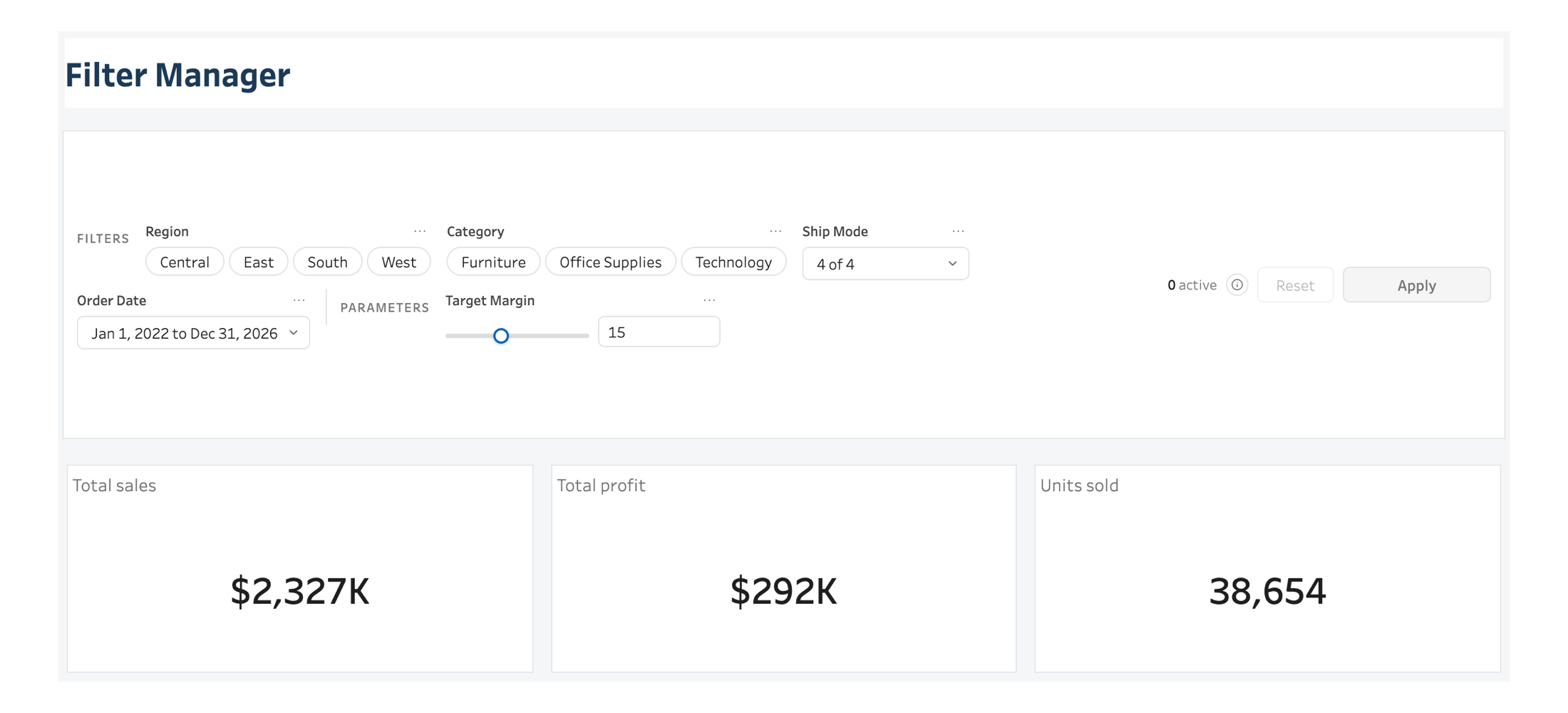
One panel, one Apply, nothing moves until you say so
A quick filter card fires the moment it is touched, and a parameter control fires another, so changing five things on a dashboard means watching four charts redraw one after the other, each on its own query. Filter Manager stages every change locally; nothing reaches Tableau before Apply. On the full four years of Superstore the panel opens on the full totals: $2,327K in sales, $292K in profit, 38,654 units, split $840K in Technology, $755K in Furniture and $732K in Office Supplies.
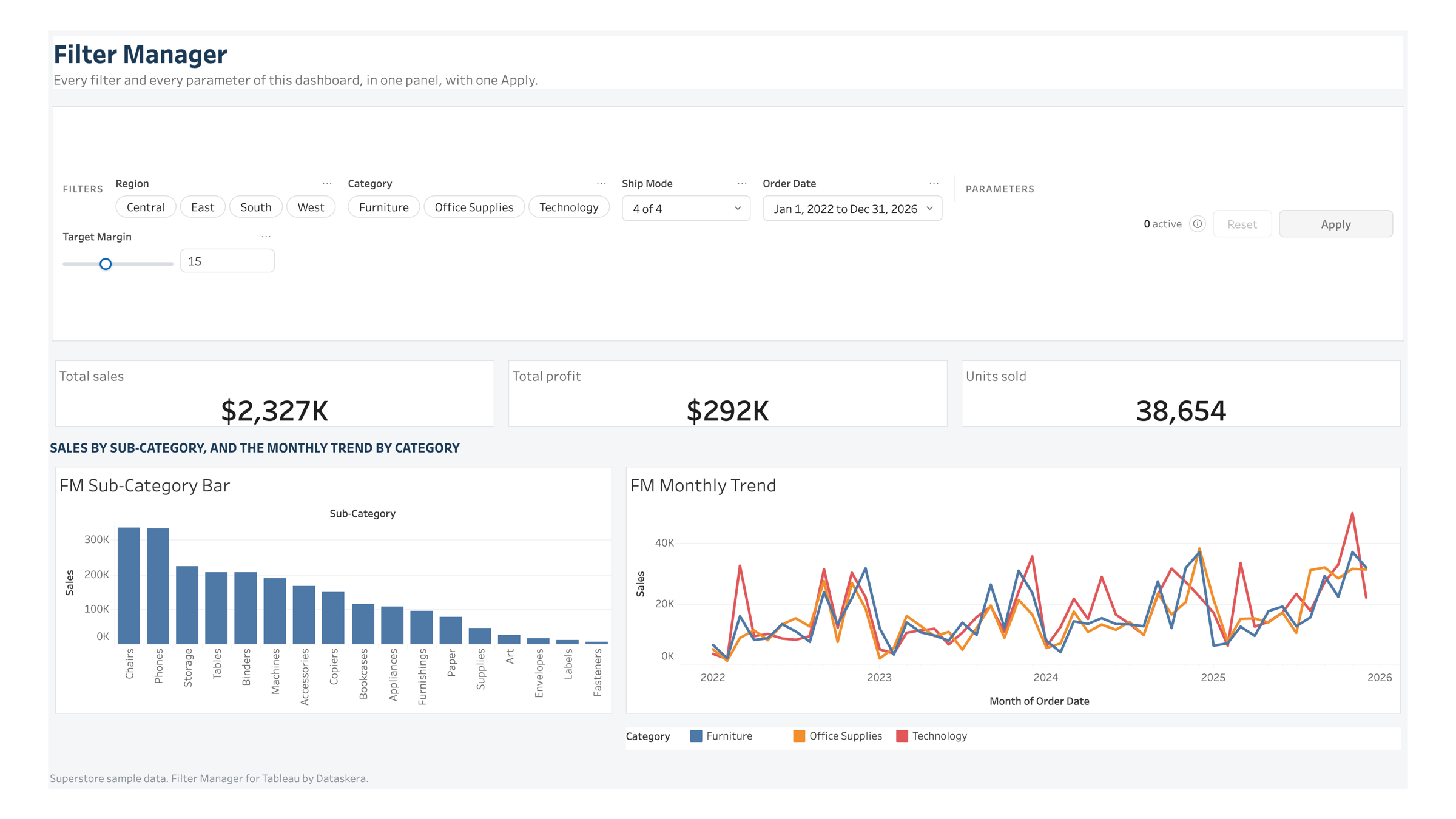
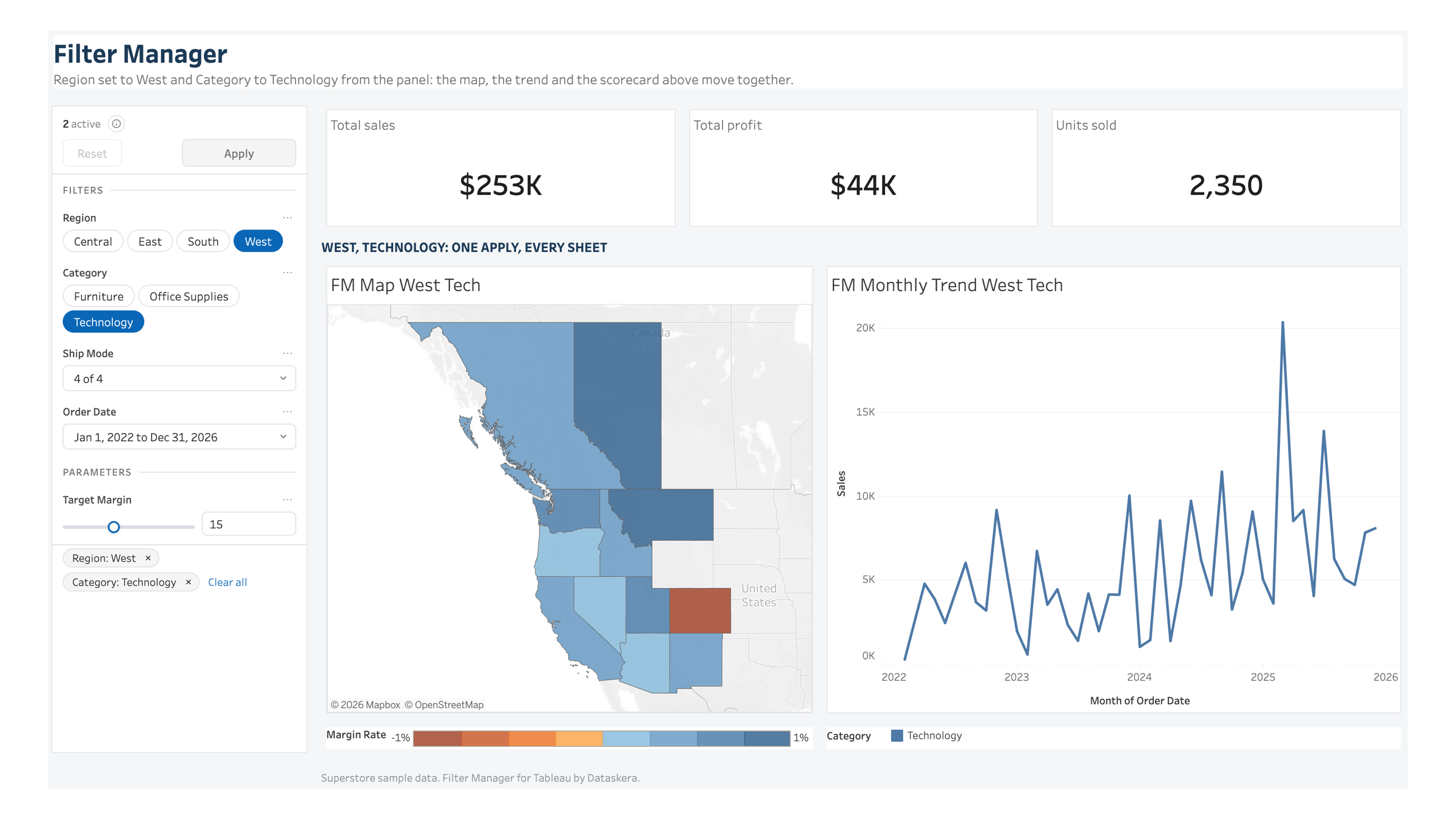
One Apply, every sheet
Set Region to West and Category to Technology from the panel, and every sheet that carries those fields moves together: the scorecard falls to $253K in sales and $44K in profit on 2,350 units, the map zooms into the West, and the monthly trend drops to the one category left on screen. The write lands in Tableau's own filter state, not a private overlay, so the native filter cards, if you keep them, move with it.
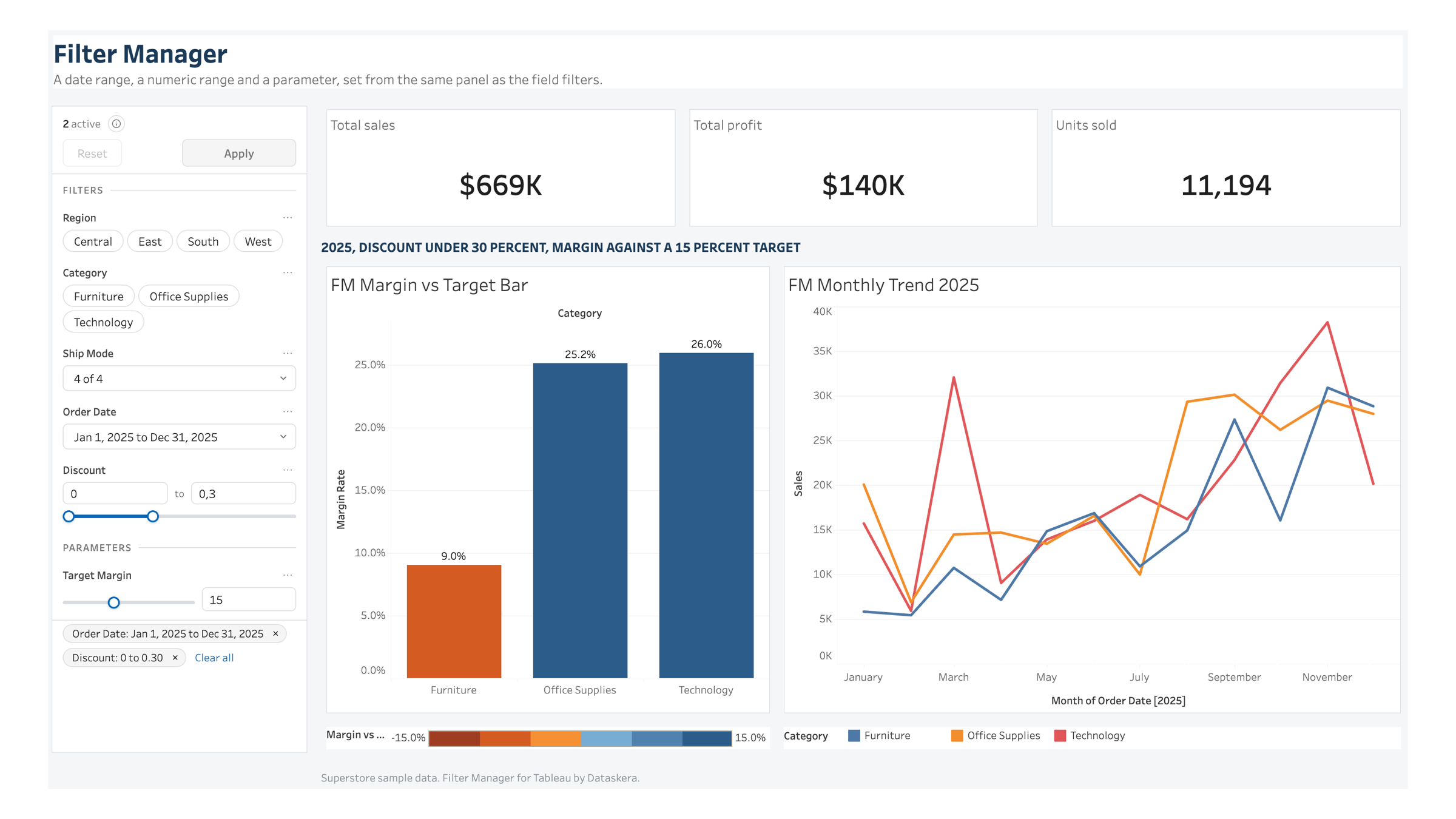
Dates, ranges and parameters, not just fields
A filter button only ever offers a short list. Filter Manager also manages a date range with presets, a numeric range, and a workbook parameter, from the same panel. Narrowed to 2025 with discount capped at 30 percent, sales come to $669K and profit to $140K on 11,194 units; against a Target Margin parameter set to 15 percent, Technology and Office Supplies clear it at 26.0 and 25.2 percent while Furniture falls short at 9.0 percent, judged live as the parameter moves.